


Metatrader VPS is a full desktop with MetaTrader already installed. It looks and works like a normal PC, but it runs on Ubuntu instead of Windows. Because there is no Windows licence in the price, each plan gives more memory and CPU for the money, which is what you need when the goal is to keep several MetaTrader terminals running at once.

What you get
- A desktop on Ubuntu with MetaTrader preinstalled, switched on around the clock.
- Access with Chrome Remote Desktop, in Chrome on your computer or from your phone.
- Several terminals: up to 4, 8 or 16 trading platforms, depending on the plan.
- Expert Advisors from a file or straight from the MQL5 Market.
- Other software for Ubuntu, from the Ubuntu software store or from .deb files.
Plans and prices
| Plan | CPU | RAM | Disk | Trading platforms | Monthly | Quarterly (per month) | Annually (per month) |
|---|---|---|---|---|---|---|---|
| Metatrader VPS Bronze | 4 CPU | 8 GB DDR5 | 100 GB SSD | up to 4 | $11.90 | $10.67 | $9.92 |
| Metatrader VPS Silver | 6 CPU | 12 GB DDR5 | 200 GB SSD | up to 8 | $17.90 | $16.00 | $14.92 |
| Metatrader VPS Gold | 8 CPU | 24 GB DDR5 | 300 GB SSD | up to 16 | $29.70 | $27.90 | $26.40 |
Prices are in US dollars. Location options in the order form: Europe, United Kingdom (+$2.00), New York (+$2.00). The number of platforms is the limit of the plan; how many your setup really runs well depends on the EAs and on the charts open in each terminal.
What it is not
| You need | Metatrader VPS | Choose instead |
|---|---|---|
| Software that runs only on Windows | No: the desktop is Ubuntu | Trading VPS (Silver or higher for TradeStation, NinjaTrader, MultiCharts, ProRealTime) |
| Access with a Remote Desktop (RDP) program | No: Chrome Remote Desktop | Trading VPS |
| One account, the lowest price, nothing to set up | More than you need | Metatrader In Cloud |
| Dozens of terminals or heavy backtests | Up to 16 trading platforms, on Gold | Trading Servers |
If an EA or an indicator of yours depends on a Windows component outside MetaTrader, ask Dipgate support before ordering.
How to start
- Order and choose the plan and the location. The login data arrive in the welcome email.
- Connect with Chrome Remote Desktop, using the form in the client area. Tutorial recorded on Metatrader VPS:

- Install your broker's MetaTrader 4 or 5. Tutorial recorded on Metatrader VPS:
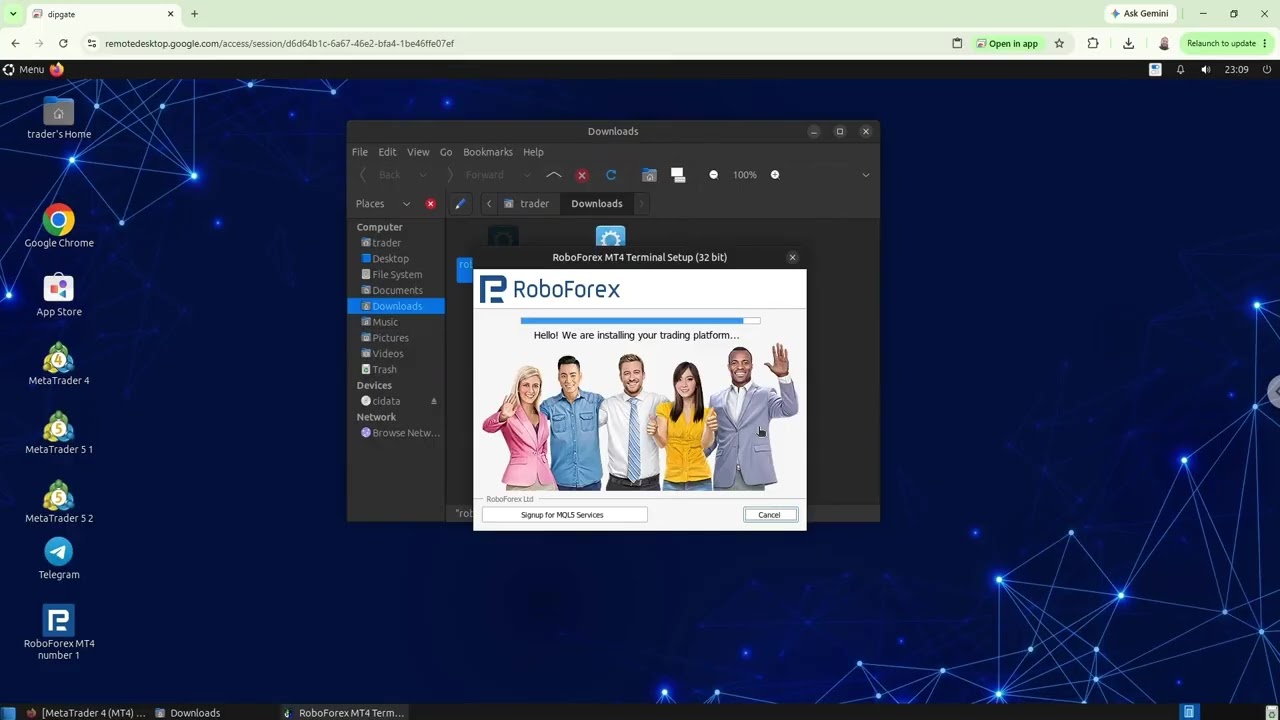
- Add your Expert Advisors, from a file or from the MQL5 Market.
- Leave it on. Close Chrome Remote Desktop when you have finished: the desktop and the terminals keep running.
The Dipgate channel has a tutorial for each further step: upload and install an Expert Advisor, install an EA from the MQL5 Market, install any software and access from your smartphone.
Who it is for
- Several MetaTrader accounts on a budget. A few brokers at once, or the same EA on different accounts.
- You do not need Windows. Everything you run is MetaTrader 4 or 5, or software that exists for Ubuntu.
- Chrome Remote Desktop suits you. The desktop opens in Chrome or with the phone app, not with RDP.
When another product is the right one
| Your situation | Product | Why |
|---|---|---|
| One MetaTrader account | Metatrader In Cloud | The terminal in your browser, lowest price |
| Several accounts or terminals, MetaTrader only | Metatrader VPS | Up to 4, 8 or 16 trading platforms |
| Any Windows trading platform, full control | Trading VPS | Your own Windows machine, up to 3, 6 or 10 trading platforms |
| Dozens of terminals, heavy backtests | Trading Servers | A whole physical server only for you |
The three smaller products are compared point by point in Windows VPS, Linux VPS or Metatrader In Cloud. What each kind of trading bot needs from a server is in VPS for trading bots.


